Intel Arc Pro B-Series
Match my Intel GPU
Choose your GPU and card count to get the closest tested starting point. Then install the B70 launcher to run it.
B70 desktop launcher
One window for the whole inference path: hardware status, model choice, engine settings and a live server. Models are grouped by company and family, each listed once with its status. It ships recipes for ten models on four engines (OpenVINO OVMS, vLLM XPU, llama.cpp SYCL and EXL3 XPU) for 1× and 2× Arc Pro B70, and finds GGUF, OpenVINO IR and Safetensors models already on your disks.
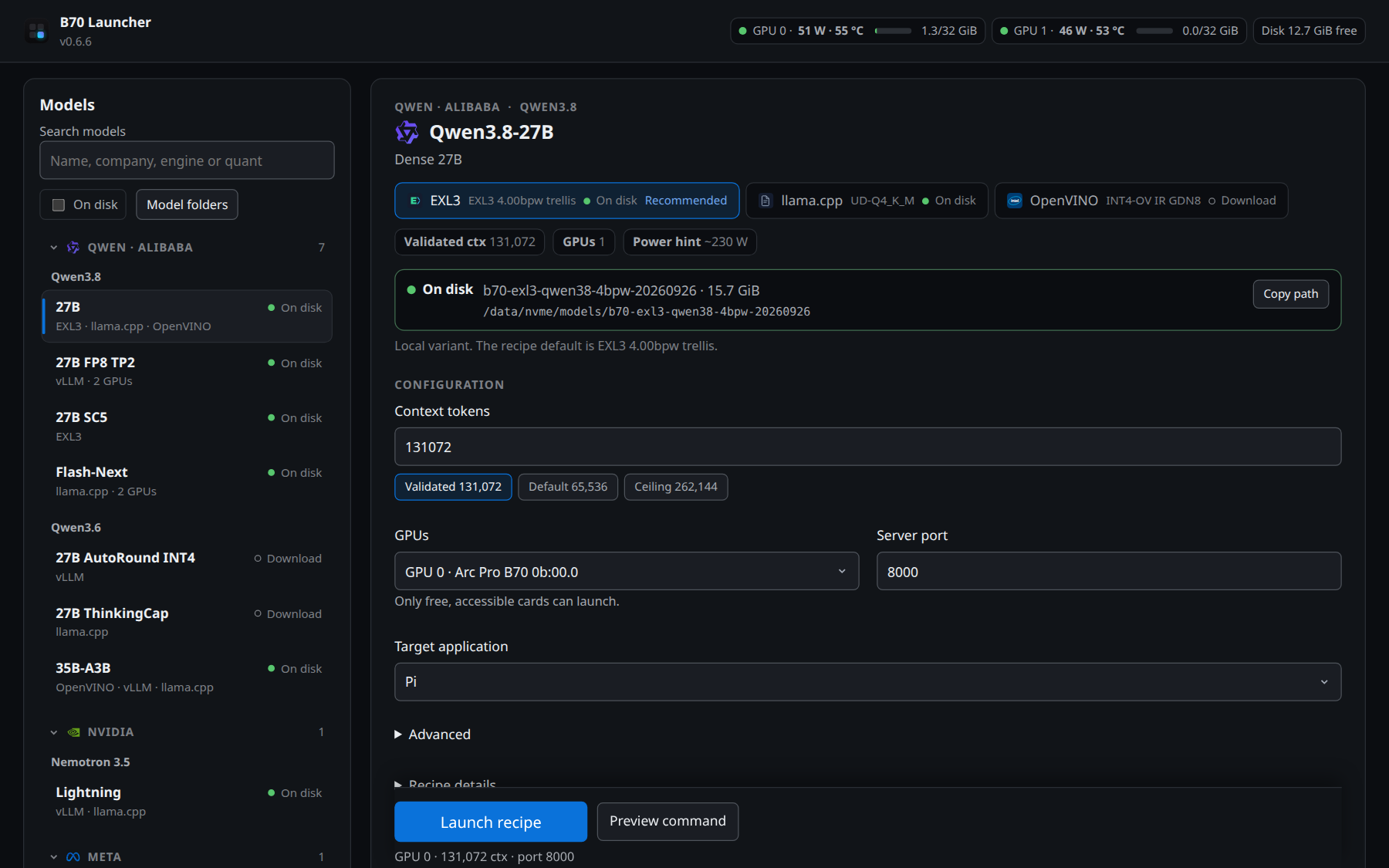
Models sit under their company and family, for example Qwen · Alibaba › Qwen3.8. Search by name, engine or quant, or show only what is on disk.
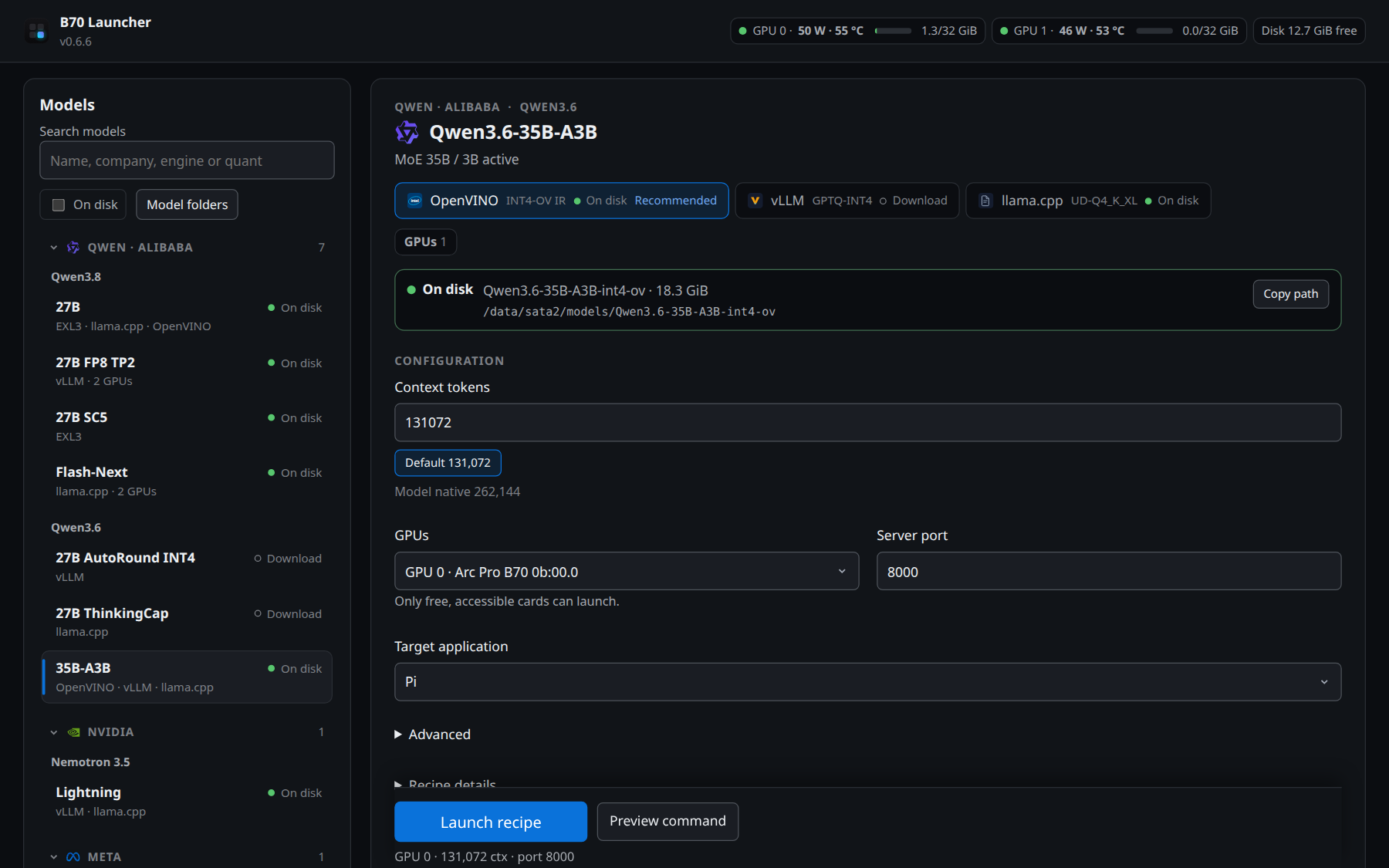
One row of engine buttons shows each engine's quant and whether its files are on disk. The validated context is preselected; KV cache, slots, MTP draft and extra flags wait under Advanced.
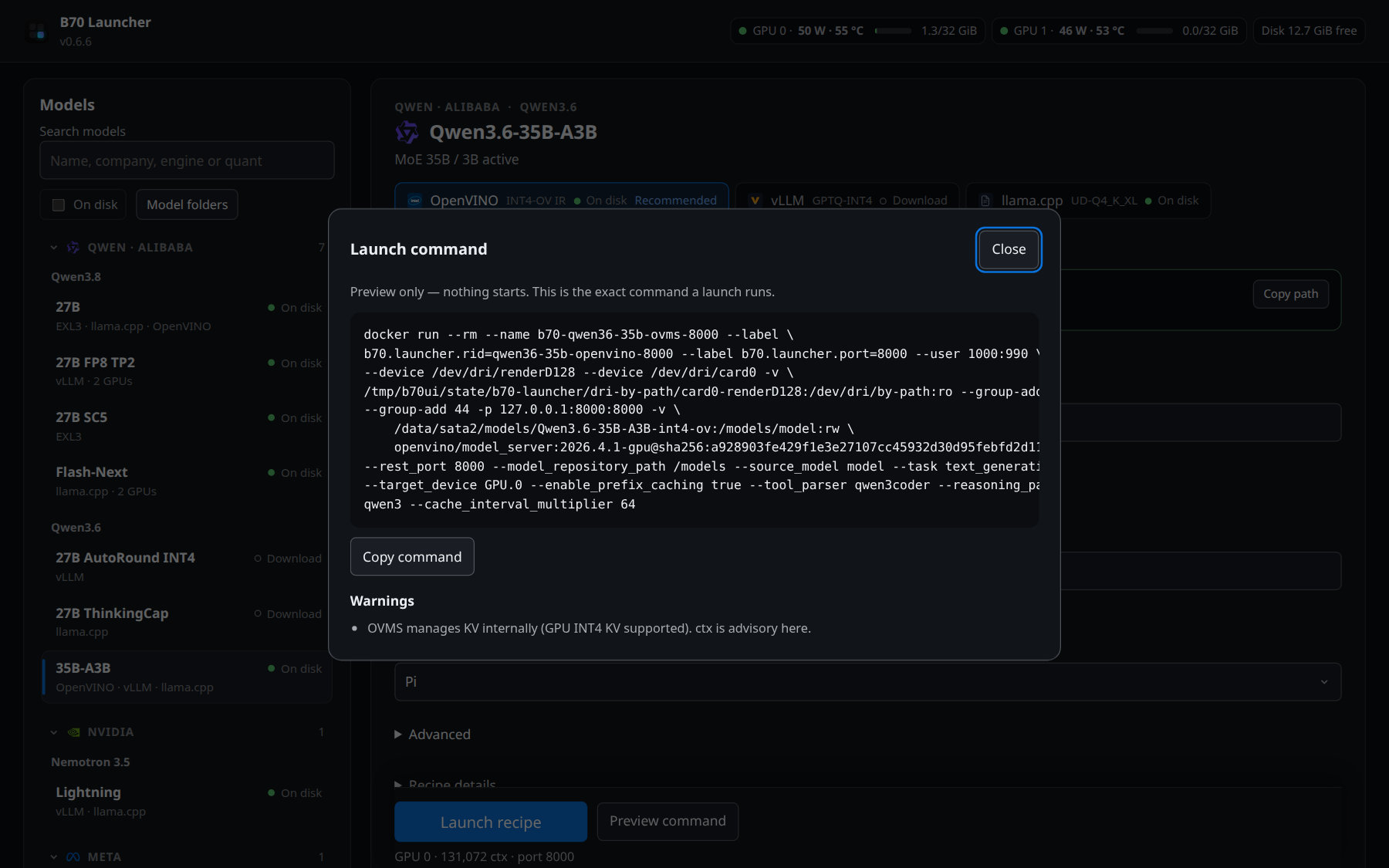
Preview shows the exact command and its warnings before anything starts. Launch starts the server, tests one prompt and opens your app; a stop control stays visible.
The update banner and recipe notice in the screenshots appear when a newer launcher or recipe revision is published.
Ten models, built in
Each model ships with one or more engine recipes and their exact commands. Rows marked “2×” need two Arc Pro B70 cards. “Checked” means launched through the launcher on one B70, answered an exact-answer prompt and stopped cleanly (launcher 0.6.0 on 2026-10-13 unless the row names another version).
| Model | Size | Engines · default context | Status |
|---|---|---|---|
| Qwen3.6-35B-A3B ★ default | MoE 35B / 3B active | OVMS 128K · vLLM 128K · SYCL 128K | SYCL checked |
| Qwen3.8-27B | Dense 27B | EXL3 128K · SYCL 128K · OVMS 64K | EXL3 and SYCL checked |
| Qwen3.8-27B SC5 | Dense 27B · EXL3 K4–7 | EXL3 128K checked · fp8 KV · MTP3 | Exact retrieval and multi-turn checks; 2,327 MiB free at memory utilization 0.90. 196K is observation-only with less reserve. |
| Qwen3.8-Flash-Next | 180B MoE / 37B active | SYCL 8K · 2× | Legacy dual-card recipe |
| Qwen3.8-27B FP8 TP2 | Dense 27B · FP8 | vLLM 96K · 2× tensor parallel | On hold |
| Qwen3.6-27B AutoRound INT4 | Dense 27B | vLLM 256K · fp8 KV | Smoke-tested earlier |
| Nemotron-3.5-Lightning | MoE 30B / 3B active | vLLM 256K · SYCL 32K | Not rechecked in 0.6.0 |
| Qwen3.6-27B ThinkingCap | Dense 27B · Q4_K_M | SYCL 128K | Not rechecked in 0.6.0 |
| Muse-Glimmer-30B | MoE 30B · vision | SYCL 128K · DFlash optional | Not rechecked in 0.6.0 |
| Ornith-1.0-35B GGUF | MoE 35B · Q4_K_M | SYCL 32K | Not rechecked in 0.6.0 |
Benchmark methodology, engine sweeps, and per-recipe results live at xecores.com/results; full recipe write-ups at xecores.com/recipes. The launcher links to xecores.com from its header.
Install in one command
curl -fsSL https://xecores.com/downloads/get.sh | shThe bootstrap downloads version.json, verifies the tarball SHA256 before extracting, and runs the rootless installer — all under ~/.local. After it finishes, launch from your application menu or run b70-launcher. The script is ~50 lines of POSIX sh — read it at downloads/get.sh before piping anything to a shell.
Manual, inspect-first steps (same result, more control)
curl -fsSLO https://xecores.com/downloads/b70-launcher-0.6.17-linux-source.tar.gz \
  -fsSLO https://xecores.com/downloads/b70-launcher-0.6.17-linux-source.tar.gz.sha256 \
&& sha256sum -c b70-launcher-0.6.17-linux-source.tar.gz.sha256 \
&& tar -xzf b70-launcher-0.6.17-linux-source.tar.gz \
&& sh b70-launcher-0.6.17-linux-source/packaging/install.sh$u='https://xecores.com/downloads/b70-launcher-0.6.17-linux-source.tar.gz'
irm $u -OutFile b70-launcher.tar.gz; irm "$u.sha256" -OutFile b70-launcher.sha256
if ((Get-FileHash b70-launcher.tar.gz -Algorithm SHA256).Hash.ToLower() -eq (Get-Content b70-launcher.sha256).Split(' ')[0]) {
'Checksum OK — extracting.'; tar -xzf b70-launcher.tar.gz
} else { 'CHECKSUM MISMATCH — do not use these files.' }Verifies the SHA256 checksum before extracting for inspection. GPU launches require Linux — WSL2 passthrough is not validated; on Windows the archive is for source inspection only.
v0.6.17 · tarball · SHA256 614eec67…5dbede10 (full hash in the .sha256 file and in the manifest)
Run it
# open the app
b70-launcher
# list models
b70 list
# start a model
b70 launch qwen38-27b
# check it is running
b70 status
# open the Pi agent on it
b70 agent pi
# see how many tokens it used
b70 usage
# stop the model
b70 stop
Run one line at a time. b70 launch waits until the model answers. Other agents: omp, droid, codex, deepseek.
Setup instructions
- Paste the command for your platform into a terminal. It verifies the checksum before running anything.
- Start “B70 Launcher” from your application menu, or run
~/.local/bin/b70-launcherin a terminal.
Requirements: Linux, Python 3.9+, 1× or 2× Arc Pro B70, Intel GPU driver and Docker. Starts nothing until you confirm, never alters system power settings without action, and only downloads models from pinned official repositories. Scope: Windows can inspect commands (dry run) but is blocked from launching. Open source under the MIT License — github.com/SergiioB/b70-launcher.
Headless? Same recipes, one b70 command
The installer also ships b70, a terminal client for the launcher's local daemon — every recipe and engine the GUI runs, scriptable over SSH, in tmux, or from CI. The daemon serves the API on localhost with a per-process token; the CLI just talks to it.
b70 list                      # catalog + what's on disk
b70 launch qwen36-35b         # engine picker → spinner → live endpoint
b70 launch nemotron-35 -e vllm --dry-run   # full docker command, nothing runs
b70 status                    # engines, tok/s, watts, VRAM
b70 test "hello"              # prompt the running server
b70 logs -f · b70 monitor -f   # follow engine logs / live dashboard
b70 stop qwen36 · b70 down     # stop one engine / shut the daemon down
--json on every command for machines; --no-color and piped output stay clean; b70 doctor diagnoses GPU, Docker, and scan roots; b70 completion bash installs shell completion; b70 env exports OPENAI_BASE_URL/OPENAI_API_KEY for agents. Dry runs are side-effect free — no state, no log files, and they warn if the port is already taken.